
Automate Your Document Based HR Processes
Easily extract vital information from Word, PDF, and image files. Seamlessly export data to Excel, Google Sheets, and numerous other formats and integrations.

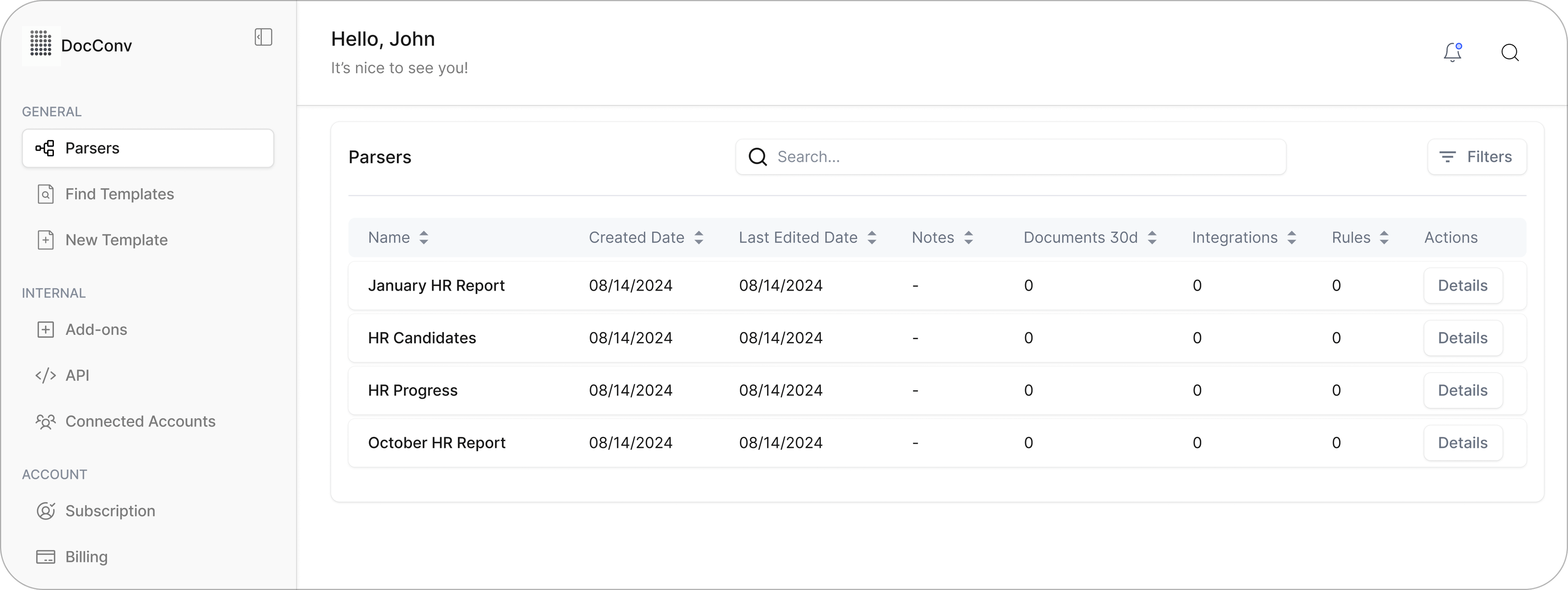

Convert Bank and Credit Card Statements Into Structured Data
Extract transactions and account details from PDF statements, then export to Excel or CSV, or send the data directly to your accounting software. Parsemint makes financial document processing fast, accurate, and fully automated.
Free Your Accounting Team from Manual Statement Processing
Accounting teams often spend hours handling recurring financial documents like bank and credit card statements. These statements usually come as secured PDFs or physical copies, both of which are difficult to work with.
Typing data from printed statements is slow, and copying from PDFs rarely gives clean results. What your team needs is a reliable way to extract transactions and account information accurately, without manual effort.
Parsemint is built for exactly this. It reads financial PDFs with precision and converts the content into structured data you can easily work with across accounting systems, spreadsheets, or reports.
Parse Bank and Credit Card Statements With Ease
Parsemint helps you unlock data trapped inside PDF bank statements, credit card summaries, and even scanned physical copies. Getting started is simple:- Upload a sample statement to act as training data
- Create parsing rules that match the layout and fields you want to extract
- Set up an automated flow to fetch documents, extract data, and convert it to your preferred format
No More Stress Over Recurring Financial Statements
With smart filters, reusable templates, and flexible integration options, Parsemint ensures your data ends up exactly where it needs to be. You can choose to download your statements as Excel or CSV, sync them with Google Sheets, or send them directly into other platforms through API or third-party integrations.
Upload files manually by dragging and dropping, fetch them from your cloud storage, or forward them by email to your configured parser. However you receive your statements, Parsemint is ready to handle them.
Bank Statement Processing That’s Simple and Reliable
Stop wasting time copying and pasting data from PDF bank statements. Parsemint lets you automate the entire process and test the platform with a free trial to make sure it fits your workflow. Pricing is based on usage, so you’ll find a plan that works for your monthly volume.
Convert Bank Statements to Excel, CSV, and More
Parsemint makes it easy to extract the specific data you need from PDF bank and credit card statements. You can convert files to Excel, CSV, JSON, or XML formats. Select just the rows or columns you want, and our parsing engine will take care of the rest.
Once your data is extracted, you can work with it directly in your accounting tools or process it further in spreadsheets before uploading to your finance system.
Send Financial Data to QuickBooks and Xero with Confidence
If you manage your books in QuickBooks, Xero, or a custom finance platform, Parsemint makes it easy to prepare your data for import. While there is no direct integration, the output is fully compatible. Just export your cleaned-up spreadsheet, verify the fields, and upload to your system of choice.
This small step ensures everything lands in the right place with accuracy and no rework.

Built for Finance Teams, Bookkeepers, and Compliance Professionals
Parsemint is trusted by:
- Bookkeepers and accounting firms managing client statements
- Finance departments with high monthly transaction volumes
- Mortgage and lending institutions needing accurate audit trails
- Fintech companies handling user-submitted PDF statements
- Compliance teams extracting data for audits or reporting
Process in Bulk, Not One File at a Time
Need to handle dozens or hundreds of statements? No problem. Parsemint supports batch uploads so you can drag in an entire folder of PDF statements and let the engine parse them in one go. This is especially useful for end-of-month reconciliations or yearly financial summaries.
Forward by Email or Connect Cloud Storage
You can manually upload files, but Parsemint also supports automated delivery.
Forward statements directly via email, or connect your Google Drive, Dropbox, or
OneDrive to fetch files as they arrive.
Your parser picks up the document, extracts the data, and sends it where it
needs to go.
Privacy and Security You Can Rely On
Financial data is sensitive, and we treat it that way. Parsemint processes all documents in a secure environment with encrypted storage and file handling. Our platform is built with industry-grade privacy safeguards and is compliant with data-protection standards like GDPR.
Only you control access to your parsed data, and no document is ever used to train AI or stored beyond your configured retention settings.
Stay Organized with Searchable History
Parsed documents are saved in your account and made searchable, so you can always go back to review, re-download, or audit previous statements. Every file and output is archived with its original upload date and parsed content for full traceability.
"As the founder of a fast-growing SaaS startup in San Francisco, preparing for tax season used to be a daunting task. Our financial records were scattered, some in emails, others in cloud storage, and many as scanned PDFs. The manual effort to collate and organize these documents for our accountant was both time-consuming and prone to errors.
Discovering Parsemint transformed this process. By setting up custom parsers, we could automatically extract and categorize data from our bank statements, credit card reports, and expense receipts. The ability to batch process documents and integrate directly with our cloud storage meant that everything was organized and accessible in real-time.
When tax season arrived, instead of scrambling to gather documents, we simply shared a structured dataset with our accountant. This not only saved us countless hours but also ensured accuracy and compliance. Parsemint has become an indispensable tool in our financial workflow."
Maurice C. – Founder & CEO, FinTech Startup, San Francisco, CA
Turn Documents Into Data You Can Use
Upload a file, see the results, and skip the manual work for good. Parsemint is built for speed, accuracy, and scale. No setup required.
 Upload a File